How to Delete Reddit History: Clear Local App Cache & Wipe Public Footprints
Learn how to clear your Reddit search history and app cache, and why local clearing leaves your public posts and comments exposed to Google and scrapers.
Spend enough time on Reddit and you will eventually want to burn the tape. Sometimes the motivation is purely local, such as handing your phone to a friend to show them a photo without having the official app auto-suggesting weird medical subreddits the second they tap the search bar. Other times, it is a slow-motion realization that seven years of offhand comments about your job, your city, and your hobbies have quietly assembled a dossier under a handle you also used on Steam in 2018.
Reddit makes the first problem very easy to solve, mostly because solving it costs them nothing. Wiping your local viewing log on a phone takes about ten seconds.
The trouble is that Reddit’s interface uses the word "history" to describe two completely unrelated data layers. When you tap Clear local history in the mobile settings menu, you are only flushing a client-side cache on that specific handset. Not a single byte is removed from Reddit’s production databases, nor does it stop Google or off-site archival scrapers from serving up every argument you have ever had on the platform. Worse, Reddit’s profile curation settings have convinced millions of users that hiding their profile page is the same thing as erasing their footprint. It isn't.
If you want to clean up what shows on your own screen and then actually scrub what the rest of the internet can read, you have to treat local device caches and server-side records as separate jobs.
Clearing What Shows Up on Your Own Screen (Local & UI History)
When someone glances over your shoulder, the liability comes down to the search bar dropdown, the list of communities you recently visited, and the log of threads you opened. How you clear those depends on whether you are using the mobile app or a desktop browser.
Wiping the Mobile App (iOS and Android)
The mobile app keeps two distinct client-side logs: search queries and viewed links.
To clear the search dropdown, tap the magnifying glass icon at the top of the screen. Your recent queries appear immediately below the text field, alongside a row of recently visited subreddits. Tap the small X next to an individual search term to drop it, or tap Clear on the right side of the header to empty the list.
To flush your viewed post history and reset the "Recently Visited" community drawer:
- Tap your profile avatar in the top-right corner of the app and open Settings at the bottom of the drawer.
- Scroll down to the Advanced section.
- Tap Clear local history and confirm the prompt.
Running this command empties the local SQLite database file the app uses to track which links you have tapped. Greyed-out post titles revert to unread status, and the slide-out navigation drawer forgets which subreddits you were browsing five minutes ago.
The Desktop Browser Quirk (reddit.com)
Desktop Reddit is messier. Since Reddit migrated its web frontend to the modern sh.reddit architecture, browsing artifacts get split between UI widgets and browser storage buckets.
If you look at the right-hand sidebar on your desktop home feed, you will see a Recent Posts box displaying the last several threads you clicked. Clicking the Clear button at the top of that widget wipes that specific list. Search bar suggestions on desktop work the same way as mobile: click into the search input and click the X beside each saved query.
Where desktop users run into a wall is the RECENT communities list sitting in the left-hand navigation sidebar. Unlike the right-rail post widget, Reddit did not put a native "Clear" button on the left-rail community list. Because that drawer pulls state from your browser's local site data, simply closing the tab leaves those subreddits pinned in plain view. To force it to reset without nuking your logins across the rest of the web, click the padlock or tune icon to the left of reddit.com in your browser’s address bar, select Clear cookies and site data (or open Developer Tools via F12, go to the Application tab, and clear Local Storage and IndexedDB for https://www.reddit.com), and log back in.
The "Curate Your Profile" Illusion
Before getting into actual deletion, we need to address the biggest privacy trap on the site right now.
In mid-2025, Reddit introduced a feature under Settings > Profile > Curate your profile (labeled Content and activity on some clients) that lets you set your post and comment visibility to Hide all. When you turn this on, anyone who clicks your username sees a blank profile page instead of your comment feed.
Users routinely turn this on and assume their history is private. In reality, hiding your profile only turns off the public directory view on reddit.com/user/yourname. It does not touch the underlying posts:
Every comment you ever wrote still sits inside the original subreddit thread with your username attached to the top of it. Whenever you post, comment, or send a modmail in any community, the moderators of that subreddit are automatically granted full access to your entire "hidden" post and comment history for 28 days. Even regular users can bypass a hidden profile in five seconds by going to the main Reddit search bar and typing author:yourusername (or running a blank query inside your profile's search bar), which pulls up every "hidden" post you have ever made. And because Reddit licenses its real-time data firehose directly to Google and AI training partners, search engines index your comments by username regardless of your profile toggle.
Hiding your profile stops lazy clickers during an argument. If you actually want a comment gone, it has to be deleted from the server.
How to Actually Delete Your Public Posts and Comments
When you delete a comment or submission from your profile, Reddit breaks the link between your account ID and that specific database object. Your username above the comment changes to [deleted], and the body text is replaced on the live website.
If you only have a dozen sensitive comments to clean up, do it manually:
- Click your avatar, go to Profile, and switch to the Comments or Posts tab.
- Locate the item you want gone and click the three-dot menu (
...) underneath it. - Before you click Delete, click Edit and replace your original text with a single period or random words, then save it.
- Click the three-dot menu again, select Delete, and confirm.
Why You Should Always Edit Before Deleting
That third step (overwriting the text before hitting delete) is the difference between surface cleanup and actual removal.
Reddit’s public feed has been continuously scraped by external archival projects for over a decade. While the original Pushshift API was locked down during the 2023 API disputes, historical torrent dumps (covering everything through mid-2025) and newer archival mirrors like Project Arctic Shift and PullPush still index public Reddit activity. Furthermore, Reddit’s own internal backend has historically retained deleted text strings unless the database field itself was mutated prior to deletion.
When you edit a comment to gibberish or a period and let the edit save, Reddit’s production database overwrites the stored string, and any crawler polling the edit stream updates its cached copy with that gibberish. When you subsequently delete the comment, the only version left in the update log is the redacted text. Some privacy-conscious users even leave the overwritten comment up for a few days before deleting it so search engine crawlers re-index the blanked-out version instead of holding onto a cached snippet of the original text.
Bulk Deletion in 2026: What Still Works (and What Reddit Broke)
If your account is eight years old and has 6,000 comments, manual editing is out of the question. For years, the standard advice was to spin up a Python script like Shreddit or Ereddicator by registering a personal developer key at reddit.com/prefs/apps.
That workflow is now dead for anyone who doesn't already own grandfathered API credentials.
Under Reddit’s Responsible Builder Policy and the October 2026 shutdown of new public Data API access requests ahead of the 2027 Devvit migration, Reddit closed self-service OAuth app creation. If you visit reddit.com/prefs/apps today to generate a client ID for a personal deletion script, the page simply redirects you to a policy document. Unless you created an OAuth token prior to late 2025, standalone Python tools that ask for a client_id and client_secret cannot authenticate.
That leaves two working approaches for bulk cleanup today:
1. Client-Side Browser Bookmarklets (Power Delete Suite)
Because open-source bookmarklets like Power Delete Suite run directly inside your browser console while you are logged into old.reddit.com, they do not need an external OAuth application token. Instead, the script piggybacks on your active browser session cookie and modhash to send edit and delete requests straight to Reddit’s internal endpoints.
If you use Power Delete Suite in 2026, keep three technical limitations in mind:
- Turn off "Hide All" on your profile first: If you used Reddit's "Curate your profile" setting to hide your post history, Power Delete Suite will fail to find your comments and exit with an empty list. Set your profile visibility back to Show everything before running the script.
- The 1,000-Item API Listing Ceiling: Reddit’s backend refuses to return more than 1,000 items in any single listing query. Power Delete Suite works around this by cycling through multiple sort orders (
new,hot,top,controversial) across different timeframes, but if you have 10,000 comments, you will need to run the script across several passes to uncover older batches. - Rate Limiting (
HTTP 429): Reddit aggressively throttles rapid edits. If the script stalls with a429 Too Many Requestserror, pause for ten minutes and resume.
2. Commercial Desktop Scrubbers
Tools like Redact.dev operate as dedicated desktop clients that automate browser-authenticated sessions to overwrite and delete content on a schedule. While convenient, remember the security trade-off: unlike a local bookmarklet you can inspect on GitHub, handing your active session cookies or login credentials to a third-party application gives that company full write access to your account. If you go that route, change your Reddit password immediately after the scrub finishes to invalidate active session tokens.
Why Deleting Your Account Leaves Everything Behind
Plenty of users skip the cleanup entirely and go straight for the account deletion button, assuming it works like Instagram or X.
As we covered in our guide on how to delete a Reddit account, deleting your account only destroys your login credentials and unlinks your username from your posts. Every single post and comment you ever wrote stays online.
Once the account is terminated, the author tag above all of your old comments flips to [deleted]. That helps if a comment just says "I agree," Lock in a comment where you mentioned your specific job title, your neighborhood, or a recognizable family story, however, and that text is now permanently frozen on the web. Because the account no longer exists, you can never log back in to edit or remove those orphaned comments, and Reddit will not remove them for you unless they violate law or doxxing policies.
Always scrub your comments before you kill the account.
Check What Is Actually Exposed Before You Nuke Everything
Most people don't actually care if strangers see their five-year-old comments about video games, mechanical keyboards, or cooking recipes. What gets people doxxed is the accumulation of twenty specific comments spread across several years that, when read together, reveal their employer, their city, their age, and their relationship history.
Scrolling backward through years of history on Reddit’s native profile page to find those twenty comments is miserable, especially once you hit Reddit's pagination limits.
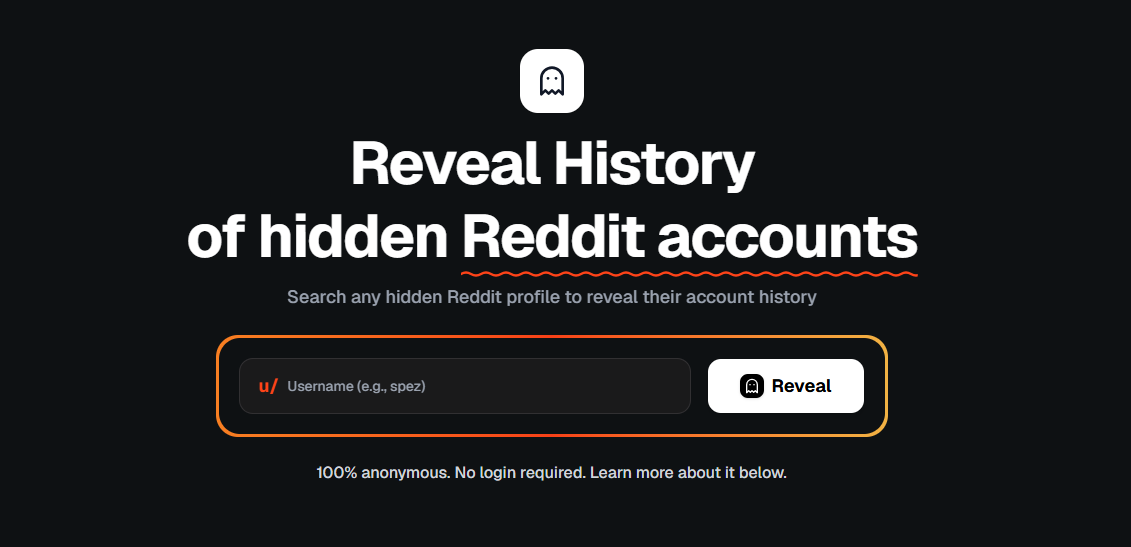
Before you spend an afternoon fighting rate limits with bulk deletion scripts, run your username through Redveal's Reddit Profile Analyzer.
Redveal pulls and organizes your public footprint into a single dashboard so you can see your account the exact way an investigator or scraper sees it:
- Search your entire historical comment and submission record by keyword (such as your city name, company, or college) to find forgotten disclosures in seconds.
- View your subreddit activity distribution and posting timestamps to see what demographic breadcrumbs your habits give away.
- Spot older indexed posts that no longer surface easily on Reddit's infinite-scroll interface.
Once you isolate the handful of threads that actually compromise your privacy, you can go in, overwrite those specific comments, and delete them cleanly without having to torch years of harmless conversations.
If you decide your current handle is simply too close to your real name and want a clean break after scrubbing, take a look at our breakdown on how to change your Reddit username, or check out our foundational guide on what Reddit is and how subreddits work for tips on compartmentalizing your accounts going forward.